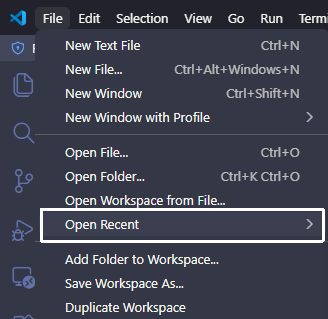
用 VS Code 时间久了,「文件 > 最近打开」列表会积累大量已删除或移动过的项目路径,点进去全是报错。网上流传的清理方法大多已过时——本文记录了在 VS Code 1.122+ 上找到正确存储位置的完整过程,以及最终可用的清理脚本。
传统方法失效
常见教程的做法是直接修改 SQLite 数据库:
%APPDATA%\Code\User\globalStorage\state.vscdb查询 key:
SELECT value FROM ItemTable WHERE key = 'history.recentlyOpenedPathsList'但在 VS Code 1.122 上执行后返回 None——这个 key 在这个路径下根本不存在。
逐步排查过程
1. 确认 User globalStorage 中没有该 key
列出 state.vscdb 中所有 key,没有任何 recent 相关条目。
2. 搜索所有 .vscdb 和 LevelDB 文件
workspaceStorage 目录下有数百个工作区数据库,Local Storage LevelDB 也无相关 key。
3. 在 storage.json 中找到文件夹历史
%APPDATA%\Code\User\globalStorage\storage.json 中的 profileAssociations.workspaces 存储了所有打开过的文件夹路径与 profile 的对应关系,可以从这里删除不存在的文件夹记录。
4. 在 workspaceStorage 中找到文件历史
每个工作区的 state.vscdb 中 history.entries 记录了该工作区内曾打开过的文件路径,可以从这里批量清理。
5. 最终发现:真正的「最近打开」列表
上面两步清理后,独立文件(直接用 File > Open File 打开、不属于任何工作区的文件)仍然出现在列表里。通过分析 VS Code 1.122 的主进程日志,找到了最终答案:
[shared storage] Creating shared storage database at
'~/.vscode-shared/sharedStorage/state.vscdb'
真正的存储位置是 ~/.vscode-shared/sharedStorage/state.vscdb,这是 VS Code 的跨 profile 共享存储,包含完整的「文件夹 + 独立文件」全局最近打开列表,key 仍然是 history.recentlyOpenedPathsList,只是搬到了这个新路径。
VS Code 存储结构(1.122+)
| 内容 | 文件 | Key |
|---|---|---|
| 全局最近打开列表(文件夹 + 文件) | ~/.vscode-shared/sharedStorage/state.vscdb |
history.recentlyOpenedPathsList |
| 文件夹与 profile 关联 | %APPDATA%/Code/User/globalStorage/storage.json |
profileAssociations.workspaces |
| 工作区内文件编辑历史 | %APPDATA%/Code/User/workspaceStorage/*/state.vscdb |
history.entries |
版本变迁
| VS Code 版本 | 存储位置 | Key |
|---|---|---|
| ~1.74 及以前 | %APPDATA%/Code/User/globalStorage/storage.json(JSON) |
history.recentlyOpenedPathsList |
| ~1.75 ~ 1.121 | %APPDATA%/Code/User/globalStorage/state.vscdb(SQLite) |
history.recentlyOpenedPathsList |
| 1.122+ | ~/.vscode-shared/sharedStorage/state.vscdb(SQLite) |
history.recentlyOpenedPathsList |
版本节点为推测值,以实际行为为准。
清理脚本
完整脚本已开源,一键清理上述三个位置:
GitHub:sudoghut/vscode-clean-recent
运行方法
git clone https://github.com/sudoghut/vscode-clean-recent.git
cd vscode-clean-recent
python clean_vscode_recent.py
或在 Windows 下避免编码问题:
cmd.exe /c "chcp 65001 >nul && set PYTHONIOENCODING=utf-8 && python clean_vscode_recent.py"注意事项
- 先关闭 VS Code,否则 VS Code 退出时会覆盖修改
- 脚本会自动备份所有修改的文件
- Remote SSH / WSL 路径不会被删除
结果
脚本在测试机上:
- 全局最近打开列表:806 条 → 删除 427 条无效,保留 379 条
- 文件夹 profile 关联:338 条 → 删除 190 条无效,保留 148 条
- 工作区文件历史:扫描 477 个数据库 → 删除 1325 条无效记录,保留 2002 条
重启 VS Code 后「最近打开」列表彻底干净。